


Universal TV Remote for All TV
3.72.00 Reviews
App Specs
- Version
- 1.0.11
- Updated On
- License
- Free
- Downloads
- 100,000+
- Developer
- Tool Crafters
- Categories
- House & Home
- Platform
- Android
Screenshots
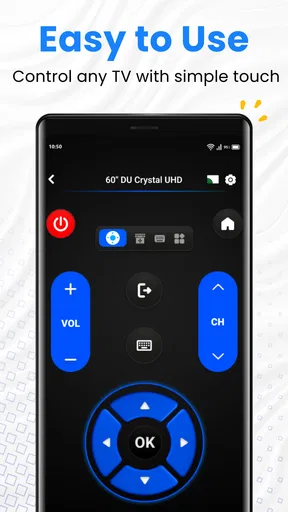
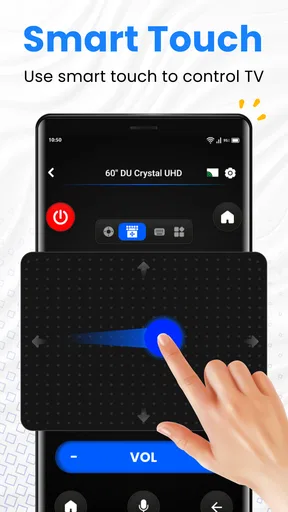
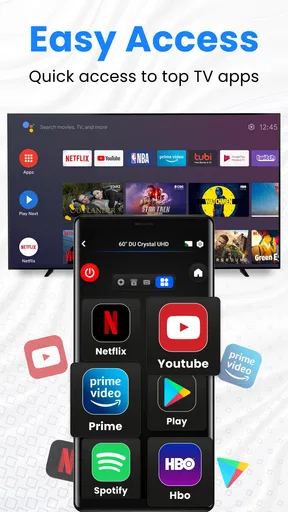
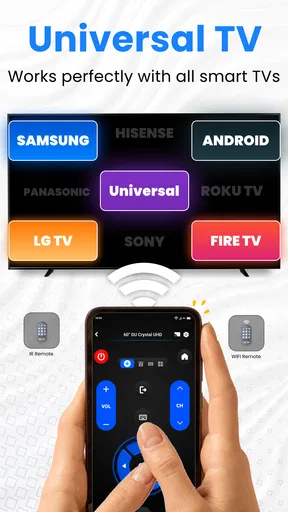
 Analysis by AppCompare
I see the appeal of turning a phone into a TV remote, but the real test is whether it makes ordinary viewing easier rather than adding another step. Universal TV Remote for All TV is a House & Home app from Tool Crafters, built around controlling a television from an Android phone. My view is that it can be a handy backup and a practical way to enter text, but it depends on a cooperative home network and a TV that works well with it. It is most convincing when the physical remote is missing or awkward, not when you expect a phone to replace every remote in every setup.
What to check before relying on a phone
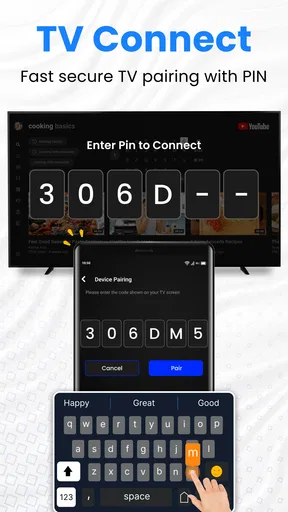
Before making this your everyday controller, I’d check the basic conditions in the room where you watch. The phone and TV need to be on the same Wi-Fi network, so a guest network, a separate router band, or a weak signal can complicate discovery or responsiveness. If the TV does not appear, I would first confirm that both devices are connected to the intended home network and that the television is awake, rather than repeatedly tapping through the app.
That small check matters because phone remotes do not work exactly like infrared remotes. A traditional handset can often send a command directly to a TV without joining the household network; a Wi-Fi-based app relies on the network path between two devices. In a stable home, that can feel effortless. In a home with unreliable Wi-Fi, it can make a simple volume adjustment less dependable than picking up the original remote.
Where the app earns its place
The strongest use case is not necessarily replacing a remote permanently. It is having a second control option when the original is misplaced, out of reach, or being used by someone else. Picture a family settling in for a film: one person can adjust the volume from a phone while another keeps the physical remote, and nobody has to pause the evening to search the sofa. That kind of convenience is modest but real, especially if the app connects quickly in your particular setup.
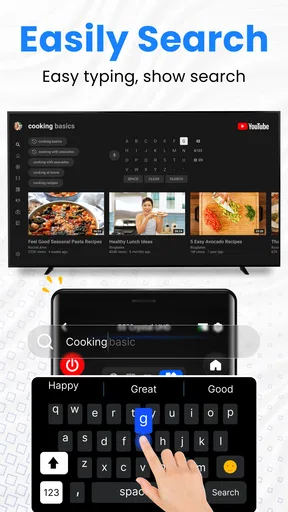
Text entry is another situation where a phone can be more comfortable than a standard TV remote. Searching for a long title by moving a cursor across an on-screen keyboard can be tedious; typing on a phone keyboard may be faster and less error-prone. I would treat this as a useful shortcut rather than assume every search box or streaming app behaves identically. The benefit is greatest when the TV’s own search interface accepts text input cleanly.
Voice control can help when your hands are full, but I would not make it the reason to install the app. Voice commands are more sensitive to recognition delays and the room’s noise than a simple tap. If a command does not register, using the on-screen controls is the sensible fallback. In practice, a combination of phone keyboard for searches and touch buttons for routine adjustments is likely to be more dependable than expecting voice to handle every task.
Compatibility is a practical question, not a promise
The idea of one controller for different televisions is appealing, particularly in a home with more than one set. Still, “universal” should not be read as a guarantee that every model offers the same controls or responds in the same way. TV brands and models can differ in how they expose functions over a network, so I’d test the exact television you plan to use before putting away its original remote. A control that handles power and volume may not necessarily make every TV menu or connected device equally convenient.
Worth Reading Before You Choose

EA SPORTS FC Mobile 26 Is a Bigger Football Game, but It Takes Time

Flipboard Shows What News Apps Must Do Beyond the Feed

Switching to Android Auto Means Rethinking Your Driving Routine

Google Calendar Makes a Crowded Week Easier to Manage

Ludo King Makes the Most of the Minutes Between Plans

Baby Panda World Brings Quick Play to Modern Phones, but Its Game Library Feels Busy
If you have a streaming box, soundbar, or game console in the setup, think about which device actually handles the task you want to do. A TV remote app is most useful when the television itself is the device you need to control. If your daily routine depends on switching inputs, managing a separate receiver, or navigating a streaming box, its own remote or companion app may remain the better tool for those jobs. Keeping both options available avoids turning a promising shortcut into a frustrating all-in-one expectation.
Cost, expectations, and who should try it
The app is free to install, with in-app purchases ranging from $5.49 to $15.99 per item. I would start by checking whether the basic controls work reliably on my TV before paying for anything. A paid option only makes sense if it unlocks something I genuinely use and the connection is already dependable; there is little value in spending more to solve a network issue or a compatibility mismatch.
It has a 3.7 average from around 120 ratings, with just a couple of written reviews, so I would treat public feedback as a limited signal rather than proof that it will work with a specific television. It has passed 100,000 installs, is rated for Everyone, and its current version is 1.0.11. The app was released on October 31, 2025, and requires Android 8.0 or later. Those details make it straightforward to judge whether it fits your phone, but your own TV and Wi-Fi remain the more important test.
I’d recommend trying it if you use an Android phone, want a backup controller, and are comfortable testing the connection before movie night. It is also a sensible candidate for households where entering show names on a TV remote feels especially slow. I would skip it as a primary solution if you need a remote that works without Wi-Fi, if your home network is frequently unstable, or if your main controls belong to a separate media device. In those cases, the manufacturer’s remote or the companion app for that device is usually the more direct choice.
For a fair comparison, the usual alternatives are the physical remote that came with the television and any official app made for that TV or streaming device. The original remote has the advantage of being purpose-built and not depending on your phone’s battery or network connection. An official companion app may suit a particular brand or box more closely, while a universal phone app is attractive when you want one place to try basic controls across household TVs. I would choose based on the devices you actually use, not on the word “universal” alone.
Getting Started with Universal TV Remote
First things first, downloading the Universal TV Remote for All TV app was a breeze. It's available on both Android and iOS, which is a huge plus. After installing, I was greeted with a clean and intuitive interface. The setup process was straightforward—just a few taps to connect my phone to my TV via Wi-Fi, and I was ready to roll.
The app supports a wide range of TV brands, which is fantastic if you have multiple TVs from different manufacturers. I tried it on my Samsung and LG TVs, and it worked seamlessly on both. No more juggling multiple remotes!
Features and Functionality
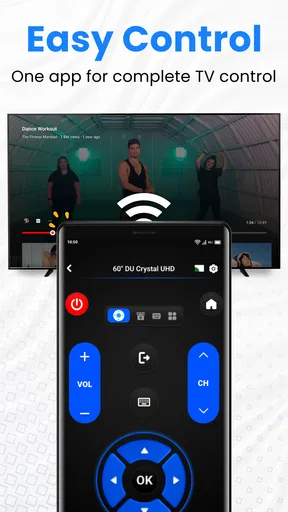
Once connected, I explored the variety of features the app offers. You can control volume, change channels, and even access streaming apps directly from your phone. One feature I particularly liked was the ability to use voice commands to control the TV—super handy when you're feeling lazy.
The app also includes a keyboard feature, which makes searching for shows on Netflix or YouTube way less tedious. I can't tell you how much time I've wasted using the traditional TV remote to type out titles letter by letter, so this was a game-changer for me.
Performance and Usability
In terms of performance, the app was pretty responsive. There was a slight delay occasionally, especially when using voice commands, but nothing too disruptive. The connection remained stable during my testing, and I didn’t experience any random disconnections, which is always a plus.
One thing to note is that you'll need a Wi-Fi connection for the app to work, and both your phone and the TV need to be on the same network. So, if your Wi-Fi is acting up, you might encounter some hiccups.
Design and User Experience
The design of the app is sleek and user-friendly. The buttons are large enough to tap comfortably, and everything is labeled clearly. I appreciated the minimalistic approach, as it made navigation a breeze. For anyone who’s not particularly tech-savvy, this app won’t throw you for a loop.
The app also allows you to customize the layout to some extent, which is a nice touch. You can arrange the buttons to your liking, which can streamline your TV-watching experience.
Final Thoughts
Overall, the Universal TV Remote for All TV app is a solid choice if you're looking to consolidate your remotes into one handy device. It's easy to set up and offers a variety of useful features that enhance the viewing experience. While it's not entirely perfect, the convenience it provides outweighs the minor quirks.
If you’re tired of dealing with multiple remotes or constantly losing them, give this app a try. It might just become your new favorite gadget. Happy channel surfing!
Pros
- Easy to set up with most TV brands.
- User-friendly interface and navigation.
- Supports voice commands for convenience.
- Customizable remote layout options.
- No additional hardware required.
Cons
- May not work with older TV models.
- Ads can be intrusive at times.
- Requires stable internet connection.
- Limited features in free version.
- Occasional lag in response time.
FAQs for Universal TV Remote for All TV
How do I set up the Universal TV Remote for All TV app?
Setting up the Universal TV Remote for All TV app is straightforward. First, download the app from the Google Play Store or Apple App Store. Open the app, and ensure your mobile device is connected to the same Wi-Fi network as your TV. Follow the on-screen instructions to pair the app with your TV. It typically involves selecting your TV brand and confirming the connection.
Is the Universal TV Remote app compatible with all TV brands?
The Universal TV Remote for All TV app supports a wide range of TV brands, including popular ones like Samsung, LG, Sony, and Panasonic. However, compatibility may vary depending on the model and year of your TV. Always check the app's compatibility list on the download page to ensure your specific TV model is supported.
Do I need an internet connection to use the Universal TV Remote app?
Yes, an internet connection is required for the initial setup and to maintain functionality. The app works by connecting to your TV over the same Wi-Fi network. While some features might work offline, such as basic remote functions, full access to all features typically requires a stable Wi-Fi connection.
What features does the Universal TV Remote app offer?
The Universal TV Remote for All TV app offers a comprehensive range of features including channel switching, volume control, input selection, and access to smart TV features like streaming services. The app also often includes features like a built-in keyboard for easy text input and voice control, enhancing the user experience.
Is the Universal TV Remote app free to use?
The app is available for free with basic functionalities. However, it may offer in-app purchases or a premium version that unlocks additional features, such as ad-free usage or enhanced control options. It’s advisable to check the app’s pricing details on the store page to understand what’s included in the free version and what requires payment.


